
What to Do When Wedding Planning Feels Overwhelming — Start Here
Start With Your Timeline
Seriously. Before the venue. Before the vendors. Before the spiral.
You got engaged.
It was perfect. It was everything. You cried, you called your people, you said yes a hundred times before you even got home — and then somewhere between the Instagram announcement and the first Google search, it got… a lot.
Wedding planning has a way of doing that.
One minute you’re excited. The next you’re seventeen browser tabs deep into venue pricing, photographer packages, catering minimums, and a color palette you’re not even sure you like anymore. The to-do lists multiply. The opinions multiply faster. And at some point — for a lot of couples — there’s a moment where you just… stop. Close the laptop. Walk away for a few days because it stopped feeling fun and started feeling like a second job.
That’s normal. That’s almost universal.
But here’s what I’ve noticed after photographing 124+ weddings since 2016: a huge part of the overwhelm comes from not being able to see the day yet. You’re making decisions — big, expensive, irreversible ones — without a clear picture of what you’re actually building toward. What does a wedding day even look like, hour by hour? What happens first? How does everything connect?
When you can finally see your day laid out in front of you — even as a rough draft — something shifts. The decisions start making sense. The pieces start fitting together.
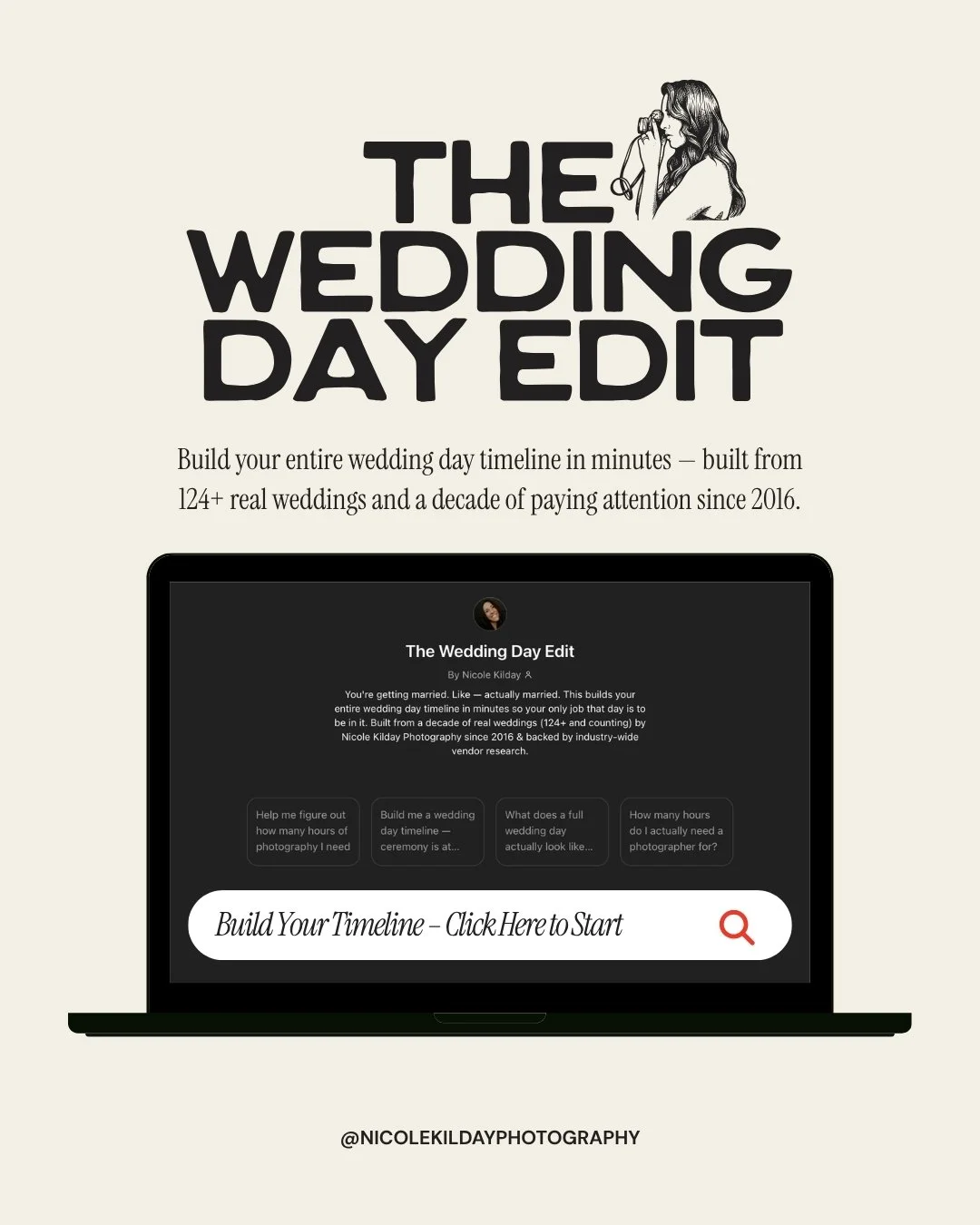
That’s exactly what I built The Wedding Day Edit for.
Where Should You Start When You’re Newly Engaged and Planning a Wedding?
Here’s the thing nobody tells you: you don’t have to have your venue booked — or anything booked — to build your wedding day timeline.
In fact, building your rough-draft timeline before you book anything is one of the most useful things you can do. Because your timeline tells you things you need to know before you sign a contract.
How many hours of photography coverage do you actually need? What time does your ceremony need to start for sunset portraits to work? Does your venue’s 5-hour reception window actually fit what you want? Can you realistically have getting-ready coverage, portraits, a full ceremony, cocktail hour, and a send-off — or does something have to give?
A timeline gives you a framework to make those decisions before they’re locked in.
And if you already have your venue? Same thing applies. A real timeline — not a generic schedule, but one built from your actual details — shows you exactly what you’re working with and where the pressure points are before they become problems on the day itself.
The Wedding Day Edit builds that for you. $7. In minutes.
What Is The Wedding Day Edit?
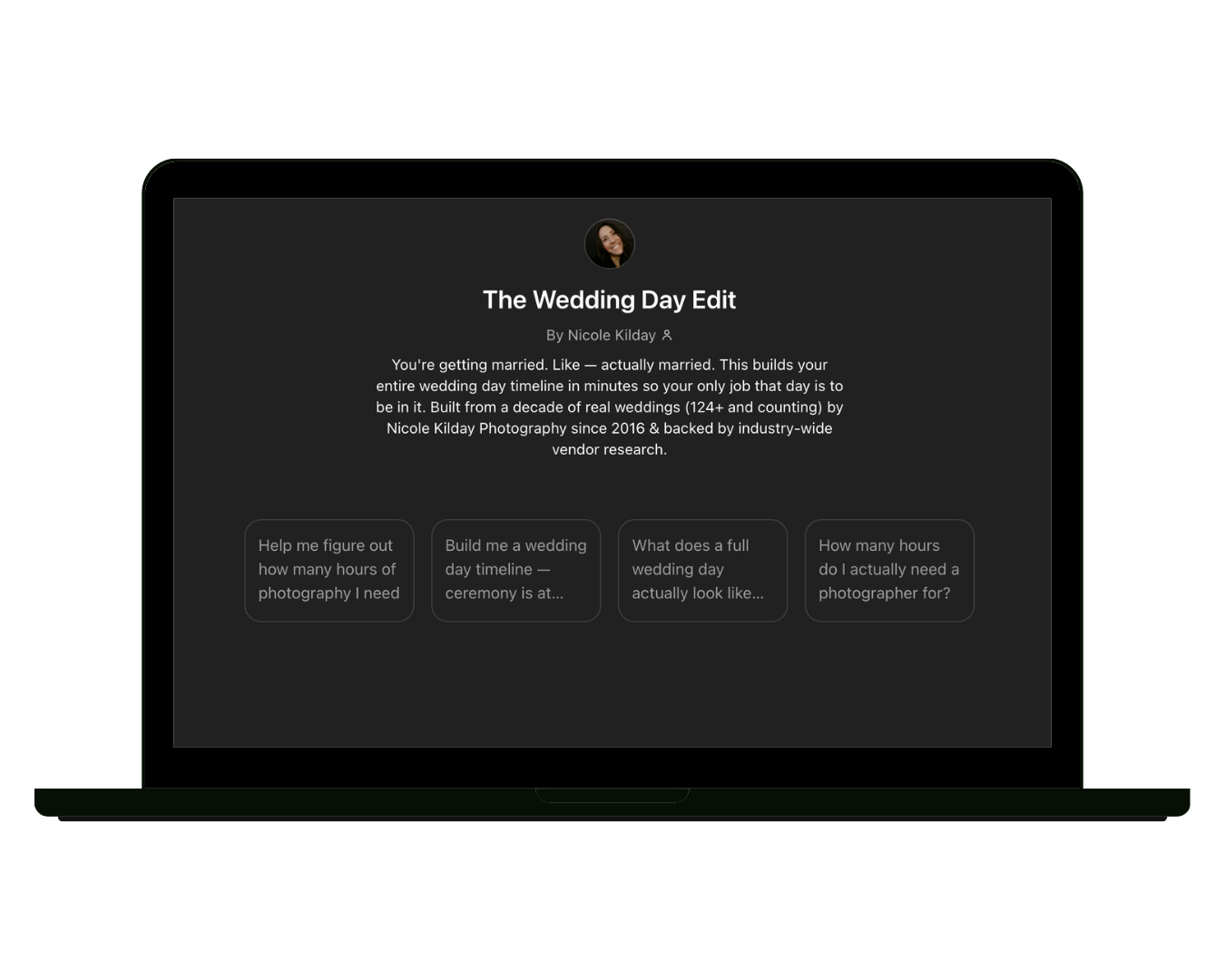
The Wedding Day Edit is a custom AI-powered wedding day timeline builder — built on ChatGPT, backed by a decade of real wedding photography experience.
You answer a few questions about your actual day — your ceremony time, your venue situation, whether you want a first look, your must-have moments — and it builds your rough-draft timeline, hour by hour.
Not a template. Not a generic schedule somebody recycled from 2017. A real rough draft, built from your details, with breathing room baked into every phase.
I’m Nicole Kilday — an Illinois and Wisconsin wedding photographer based in McHenry County. Since 2016, I’ve photographed 124+ real weddings across Northern Illinois, Chicago, Lake Geneva, Southern Wisconsin, and beyond. Not high-volume. Intentional. Every single time.
And in that decade, I’ve watched where timelines fall apart. Where beautiful days get squeezed because nobody planned for the in-between. Where couples miss their own cocktail hour. Where family photos swallow golden hour. Where a 20-minute ceremony delay cascades into a photographer who’s gone before the last dance.
The Wedding Day Edit is built from everything I’ve learned watching all of that — so your day doesn’t have to learn those lessons the hard way.
What Does The Wedding Day Edit Actually Build?
Here’s what you get when you run your details through the tool:
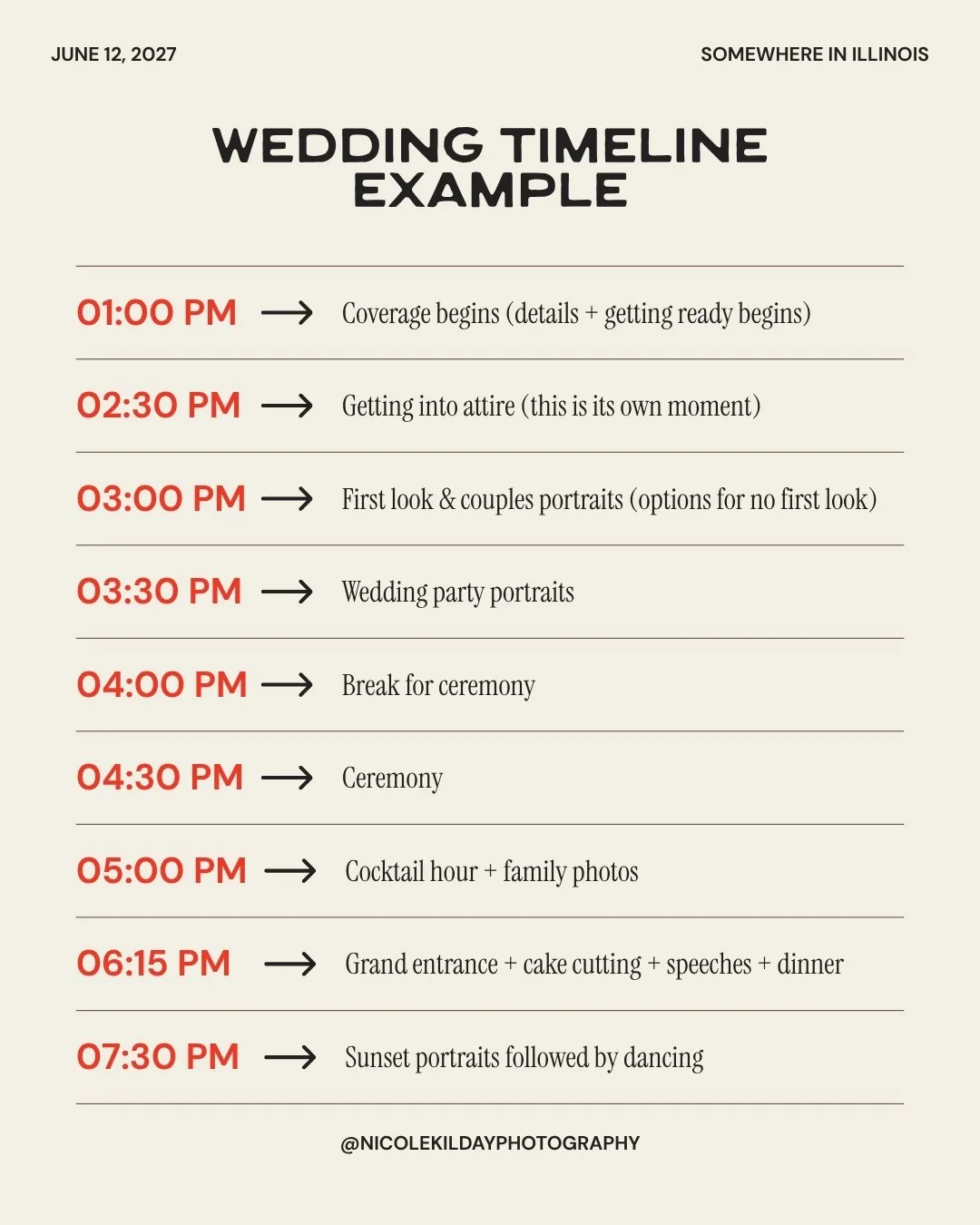
A complete hour-by-hour rough draft — from getting ready through last dance. Realistic time blocks for every phase. Getting ready (the real version, not the best-case-scenario version). Portraits. Ceremony. Cocktail hour. Reception — all of it.
A first look comparison — both options, mapped out with the actual time implications for your day, so you’re choosing based on real information instead of vibes.
A coverage hour breakdown — what each photography tier captures and exactly what disappears when you book fewer hours. It’s always the edges that get cut. Always.
Sunset timing calculated for your specific date and location — so golden hour portraits actually make it into your day instead of just being a hope.
A named family photo group list — every group, every name, with a built-in point person from each side. Because a list alone doesn’t keep family photos from eating your cocktail hour. The person who knows everyone and can physically round them up — that’s what actually keeps things moving.
Vendor coordination built in — your caterer’s dinner start, your DJ’s transition windows, your officiant’s ceremony length, your hair and makeup team’s hard out time. A timeline that only accounts for what the couple wants and not what the vendors need is a timeline that falls apart in real time.
Breathing room baked into every phase — so when something runs late (and something always does), one delay doesn’t take the whole day down with it.
The Questions Newly Engaged Couples Are Googling at 11pm
These are the questions I see couples searching for at the beginning of the planning process. The ones that feel like they should have easy answers — but actually don’t. They’re also exactly what The Wedding Day Edit answers for your specific day.
Should I do a first look, and what does it actually do to my timeline?
This is one of the most important decisions you’ll make — and most people make it based on feelings, not information. A first look isn’t about tradition or ruining a moment. It’s a timeline tool. It moves portraits earlier, frees up cocktail hour, and takes the pressure off the post-ceremony window. But it’s not right for every couple or every day. The Wedding Day Edit maps out both options with the actual time implications so you choose with your eyes open.
How long does getting ready actually take on a wedding day?
Longer than your hair and makeup artist’s quote. Every time. The quote doesn’t account for the dress going on, your first look at yourself in the mirror, your mom losing it, finding the missing earring, the photographer needing detail shots, and the flower kid who suddenly needs a snack. Getting ready is one of the most photographed and most under-scheduled parts of a wedding day. The tool builds a realistic getting-ready block — not a best-case estimate.
How many hours of wedding photography do I actually need?
It depends on your day — which is exactly why a flat answer doesn’t work. The mistake most couples make is working backward from a budget instead of forward from what they actually want documented. The tool builds your full timeline first, then shows you exactly how many hours your day requires.
What happens if my wedding day runs behind schedule?
It will. Something always does. That’s not a crisis — it’s just a wedding day. The real problem is when there’s no buffer, so one late start turns into a cascade. Every transition in The Wedding Day Edit has breathing room baked in specifically for this.
Can I build a wedding day timeline before I’ve booked my venue?
Yes — and honestly, you should. A rough-draft timeline gives you a framework before you commit to anything. It tells you whether a venue’s hours actually fit your vision, how many coverage hours to budget for, and what time your ceremony needs to start for everything to flow.
Who Is The Wedding Day Edit For?
Every couple. Any style of wedding. Traditional, non-traditional, cultural, elopement, backyard, ballroom, courthouse, destination, micro wedding, big loud reception.
Your wedding is a big f⌁ckin’ deal. It should look like yours.
You’re newly engaged and have no idea where to start? This is your starting point.
You’re deep in planning and something still feels off — and you can’t name what it is? This is your reality check.
You’re a wedding vendor who wants educated couples walking in with realistic expectations? This is the tool you’ve been wishing your clients had used.
Frequently Asked Questions About Wedding Day Timelines
-
No — and that’s actually one of the best parts. You can build a rough-draft timeline before you’ve booked a single vendor. It helps you walk into venue tours and vendor consultations with a realistic picture of what your day needs, how many hours of coverage to budget for, and whether a venue’s event window actually fits your vision.
-
It runs inside ChatGPT. After purchase, you get access to the custom GPT. You open it, answer a few questions about your day — ceremony time, venue, whether you want a first look, your must-have moments — and it builds your hour-by-hour rough draft. It’s a conversation, not a form.
-
Both. Couples use it to finally see their day and walk into planning conversations with clarity. Wedding vendors — photographers, planners, coordinators — use it to help educate clients or as a starting point for timeline conversations.
-
Every wedding needs a timeline — the chaos is just located in different places. Backyard wedding? You’re coordinating vendors with no venue coordinator. Elopement? You’ve got golden hour to hit and a location drive built in. Micro wedding? The intimacy is the point, and rushing through it defeats everything. The tool adapts to your actual day.
-
$7. That’s it.
-
A complete wedding day timeline covers: getting-ready time blocks (detail photos, candids, getting into attire — three separate phases), first look and portraits, ceremony, cocktail hour, reception flow (grand entrance, speeches, dinner, first dances, open dancing), sunset portraits, and any end-of-night moments. The Wedding Day Edit builds all of that based on your specific details — with vendor coordination and breathing room built into every phase.
-
As early as possible — even before you’ve booked anything. Your timeline tells you what you need to know before you commit. How many photography hours to budget for. Whether a venue’s event window fits your vision. What time your ceremony needs to start for everything to flow. The earlier you have a rough draft, the more clearly you can make every other decision around it.
-
A planning checklist tells you what to book. A timeline tells you how your day actually flows — hour by hour, from getting ready through last dance. They serve completely different purposes. You need both, but the timeline is what makes the day feel real and helps you understand how all your planning decisions connect.
$7. In Minutes. Works Inside ChatGPT.
The Wedding Day Edit is $7. You open it in ChatGPT, answer a few questions, and it builds your rough draft.
Take it to your planner. Bring it to your venue tour. Show it to your photographer. Or just use it to finally see your day laid out in front of you — and feel like you actually know what you’re doing.
Your wedding day is lived once.
Less than 24 hours of your entire life. Sacred. Unrepeatable. Real.
A good timeline doesn’t script your day. It creates breathing room so the real moments have space to happen.
The ugly tears. The dance floors. The chaos that turns out to be the best part.
That’s what this protects.
Nicole Kilday is an Illinois and Wisconsin wedding photographer based in McHenry County, IL — photographing weddings across Northern Illinois, Chicago, Lake Geneva, and Southern Wisconsin since 2016. The Wedding Day Edit is built from 124+ real weddings and a decade of paying attention.
